
TemplateLive
Bank statement log template (Excel)
This template is a logbook for recording and summarizing your bank transactions yourself — not a program that produces a statement in place of a bank. It is a free Excel download with an auto running balance, no email required, useful for reconciling transfers against sales and preparing data for your accountant. The real bank-certified statement (e.g. for loans or visas) must be requested from your bank app or branch; this page explains how.
Thai SME ownerLast updated 2026-07-21
Download the template
Free download, no email required
Example document
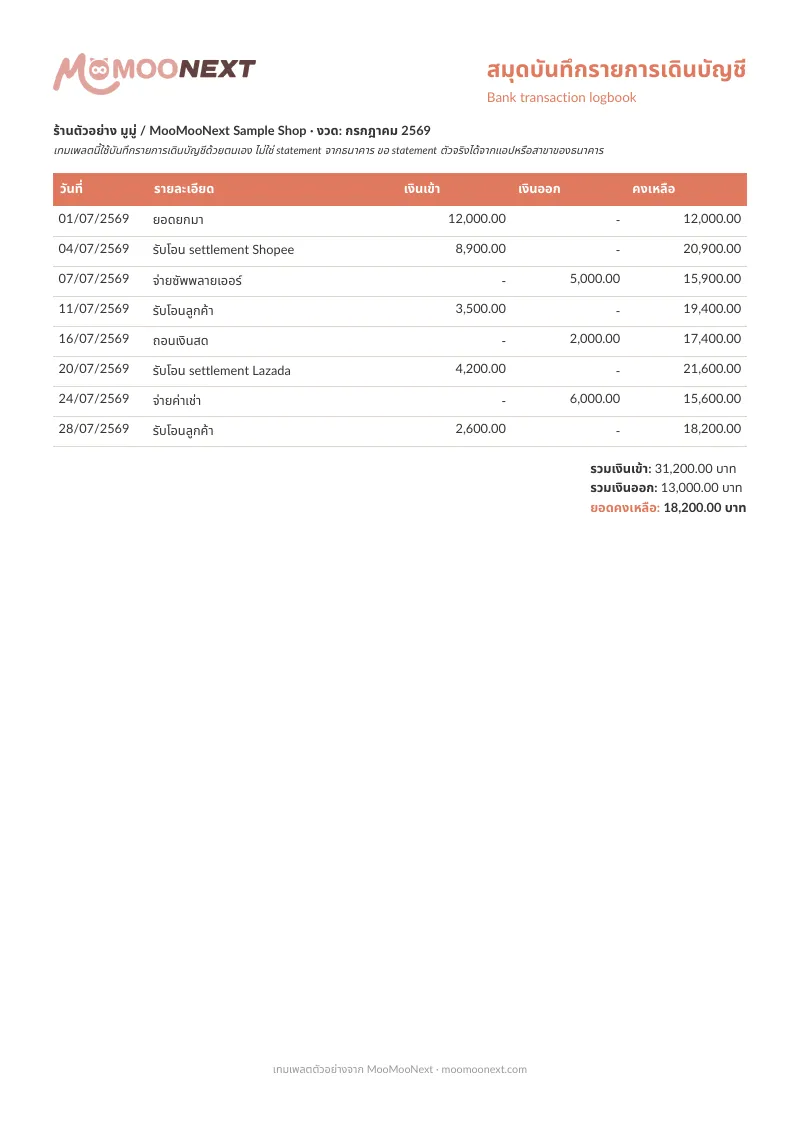
Free Excel download with an auto running balance, no email required
Columns for date, description, money in, money out, and running balance
Reconcile transfers against sales and prepare data for your accountant
Explains how to request the real statement from a bank app or branch
How to request a bank statement and use the logbook
1.Request the real statement from your bank
A bank-certified statement must come from the bank itself. Most banks let you request it in the app — pick a date range and download a PDF, or request a stamped copy from a branch for loans or visas. The template here is not an official statement, but helps you record and summarize transactions yourself.
2.Log transactions into the logbook
Enter the date, description, and money-in/out for each transaction in the Excel file, and the running balance is computed for you. Logging it yourself helps you understand cash flow and spot which entries are sales and which are expenses.
3.Reconcile against sales and settlement
Compare the money-in entries in the logbook against sales and platform settlement reports to check whether all money arrived, which entries are still pending, or how much fee was deducted. Regular reconciliation keeps the shop's numbers accurate and eases accountant handoff.
Can this template produce a statement in place of a bank?
No. This template is a logbook for you to record transactions yourself for summarizing and reconciling — not an official bank-certified document. The real statement for loans or visas must be requested from the bank via the app or a branch.
How far back can I request a bank statement?
It depends on the bank and channel. Via the app you can often see several months to several years back; a stamped branch copy may go back as far as the bank retains data. Ask your bank directly about the period and any fee.
Why reconcile the statement against sales?
Because storefront sales and actual bank deposits rarely match — fees, shipping, and refunds are deducted. Reconciling shows whether all money arrived and what the real profit is, and it is key data when preparing tax filing and accountant review.
Create documents in MooMooNext
Create documents in MooMooNextRelated pages
Beta
Marketplace reconciliation
Separate payouts, fees, shipping, ads, vouchers, and returns from Shopee, Lazada, and TikTok Shop.
Read moreLiveFree income & expense ledger template (Excel)
An income & expense ledger template for shops and SMEs — free Excel with an auto running balance plus a printable PDF, record daily income and expenses right away, no email required.
Read more